
Edit & publish pages
Refresh your homepage, improve a service page or fix an outdated call to action. Ask your AI to read the page first, then make the change.
“Link the services page button to our contact page and save a draft.”
Free WordPress plugin. Available on WordPress.org.
Vibe code your WordPress.
From the AI chat you already use.
Connect ChatGPT, Claude or a compatible AI to WordPress. Edit pages, create content and update supported SEO fields. Less copying. More publishing.
Free plugin. No website migration. Your AI provider's fees and connector requirements are separate.
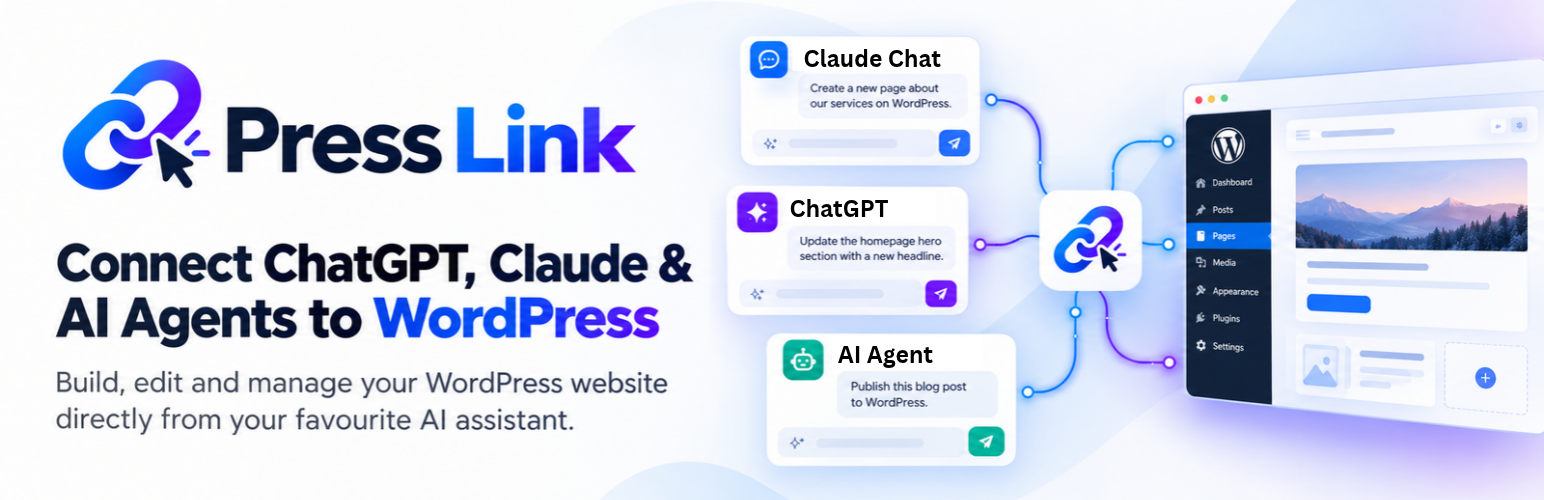
Less admin. More building.
PressLink connects your AI assistant to WordPress pages, posts and site details. It can read what's there, understand the job and make changes through WordPress.
Refresh your homepage, improve a service page or fix an outdated call to action. Ask your AI to read the page first, then make the change.
“Link the services page button to our contact page and save a draft.”
Turn an idea into a WordPress post or page. Set the title, address and content, then save a draft for review or ask your AI to publish.
“Create a draft service page that follows the structure of our existing pages.”
Improve page titles, internal links and supported Yoast or Rank Math titles, descriptions, focus keywords and canonical URLs.
“Review these service pages and suggest clearer titles and internal links.”
Find pages, read existing content and inspect site details before starting work. Give your AI a useful starting point for consistent edits.
“Read our current service pages before writing the next one.”
Keep the website you've built
You describe the change in plain language. Your AI works with real WordPress content, so your pages stay on your website, with their existing URLs and publishing workflow.
Your AI can inspect existing pages and content before making a recommendation.
Ask for a new page, clearer copy, an SEO update or a change to an existing page.
Ask for a draft, check the result and tell your AI when you're ready to publish.
For site owners, freelancers and agencies. This release edits ordinary pages and posts using safe HTML or supported static blocks. It does not edit code, themes, plugins, site settings or Elementor layouts. Existing builder pages can still have their title, slug and supported SEO text fields updated.
Setup guide
Install PressLink, connect your AI and check that it can see your site. Start here, then follow the instructions for your AI below.
In your WordPress dashboard, open Plugins → Add New Plugin. Search for PressLink by digitalgold21. Confirm the plugin using the listing below, then click Install Now and Activate. No ZIP upload needed.
View PressLink on WordPress.org →Copy this public server URL and paste it into your AI's connector settings using the guide below. Keep your WordPress tab open. Do not copy or generate your private website link yet.
https://app.presslinkai.com/mcpNow return to WordPress → PressLink. Follow the permission prompt, click Generate private link, then Copy. Switch straight back to the PressLink connection form, paste it into Private WordPress link and click Connect WordPress. Do not copy the server URL again between these actions.
If your full private link is already visible, just copy it. If it is hidden, use Regenerate private link. This replaces the old link. PressLink creates a visible content-only WordPress user with your consent. Keep the private link secret; never paste it into a chat message.
Your account or workspace must allow custom MCP servers. Official ChatGPT connection guide.
Already added PressLink? Open Customize → Connectors and click Connect next to it. If your earlier attempt used Claude's published identity and failed, remove just that custom connector and add it again with Register automatically. Keep the WordPress plugin installed and use the same private website link.
Team or Enterprise? Your workspace owner may need to add the connector first. Official Claude connection guide.
Your first message
Send this in a chat with PressLink enabled. Your AI should identify your connected website.
Use PressLink to check my WordPress connection.Your first result
After the connection check, copy this task into your AI chat. Open WordPress → Pages → Drafts to see the result. Nothing needs to go live.
Create a draft page called PressLink Connection Test with one sentence: This is a connection test. Do not publish it or change existing pages.Not in the plugin picker? Complete the custom server setup and installation first, then start a fresh chat. Adding the WordPress plugin alone does not add PressLink to your AI.
Wrong website or another WordPress connector? Select PressLink explicitly and ask it to run the connection check. Turn off other WordPress connectors for that chat.
Private link rejected? Generate a fresh link in WordPress. Copy the entire link and paste it into the PressLink connection form. Use the public server URL only in the AI's server settings.
No option to add a custom server? Check your AI account and workspace permissions using the official guide above.
Start with your own website
Install PressLink, connect your WordPress site and give your AI its first task. Start with a draft or a small edit you can easily review.
Get PressLink free from the WordPress Plugin Directory. Then follow the setup guide to connect your AI.
Get PressLink free →Follow the setup guideVersion 0.1.5. Requires WordPress 5.8+, PHP 7.0+, an administrator account and an AI app with compatible custom connections. AI-provider fees and limits are separate.
Need a hand? WordPress support forum or email support. Never share your private connection link.
Free to start. Room to grow.
Install the free WordPress plugin and connect your website. Choose Pro for more daily actions, or Unlimited for unlimited calls and website connections. Your AI subscription is separate.
Checking subscription availability. Free installation is always available from WordPress.org.
Already using PressLink? View your usage and manage your plan. No separate signup needed: use your private link from WordPress > PressLink if asked.
$0
Start on your own WordPress website.
$19 / month
Or $99 per year, billed annually.
$59 / month
Or $499 per year, billed annually.
A tool call is one action your AI asks PressLink to perform, such as reading or editing a page. One chat message may use several calls. The hosted service counts successful website actions; setup and allowance checks do not use calls. Free and Pro allowances reset at midnight UTC. Changing AI apps or reconnecting does not reset usage.
PressLink Unlimited has unlimited tool calls and website connections. It does not include an AI subscription. Normal security, request-size and timeout limits still apply. Cancelling renewal keeps paid access until the paid period ends, then the account returns to Free limits.
A few things to know
Yes. With PressLink installed and connected, ChatGPT can read pages and posts, create content and use WordPress editing tools. Ask it to inspect the page first, save a draft when appropriate and publish when you're ready.
It means describing what you want to change in normal language and using an AI agent to do the work. PressLink connects that conversation to your WordPress site so your AI can work with its content instead of only giving you text to copy.
Claude can connect using a custom remote connector. Other AI clients, including Codex, need support for remote MCP and PressLink's authentication. Follow the ChatGPT or Claude guide above for those apps.
Yes. PressLink reads and writes WordPress content through WordPress tools. Your content stays on your site. Search visibility still depends on your content, links, indexing settings and site performance.
Elementor layout editing stays in WordPress. PressLink can update the page's title, slug and supported Yoast or Rank Math SEO fields without changing its layout. AIOSEO custom-table fields, arbitrary protected metadata and plugin REST routes are not supported in this content-focused release.
No. PressLink installs on your existing WordPress site. Your site must be accessible over HTTPS so the connector can reach it.
Yes. The WordPress plugin is free, and the hosted Free plan includes 100 successful tool calls per UTC day on one website. Upgrade to Pro for 500 calls per day, or Unlimited for unlimited tool calls and website connections. Your AI provider may require its own paid plan or workspace permission for custom connectors.
No. PressLink connects your existing AI to WordPress. You use your own AI account, and its fees, usage limits and connector requirements still apply.
A WordPress administrator approves setup locally. Your AI's requests run as the separate PressLink Content user, never as that administrator. It has only content permissions, and the plugin limits tools to ordinary pages/posts and supported SEO fields. Your AI client controls tool confirmations. Ask for drafts and review changes before publishing. You can disable the connection or regenerate its private link in WordPress.
Install from PressLink's WordPress.org listing, or search for PressLink in WordPress → Plugins → Add New Plugin. Click Install Now, then Activate. Connecting your AI is a separate step in the setup guide.
The WordPress plugin is available on WordPress.org. To connect your AI, use the custom connection steps in the setup guide; a public ChatGPT or Claude directory listing is not being advertised. Installing PressLink in WordPress alone does not connect your AI.
PressLink stops additional counted actions before they reach your website. Your allowance resets at midnight UTC. You can still check your usage, and you can manage your plan from your PressLink account. Reconnecting or switching AI apps does not reset usage. A timed-out action may have completed; check your website before repeating an edit.
Yes. Open your PressLink account and choose Manage subscription to use Stripe's billing portal. Cancelling stops the next renewal while keeping access until the paid period ends. The portal shows any prorated upgrade charge before confirmation and schedules applicable downgrades for the end of the paid period. Monthly and annual plans renew automatically until cancelled.
Your website. Your AI. Connected.
Start with one draft. See what your AI can do with the right connection.
Get PressLink free on WordPress.org